Last Revised: May 18, 2026
Manage Users
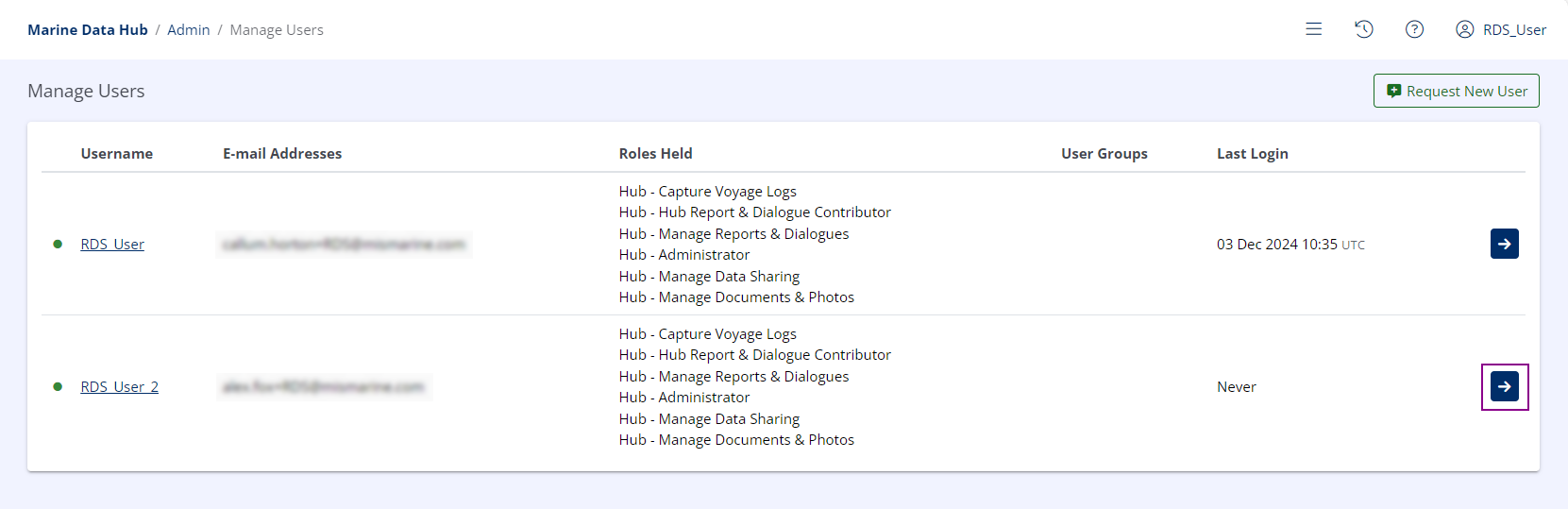
Select the Desired User
Identify the user you wish to edit, and click the View Details
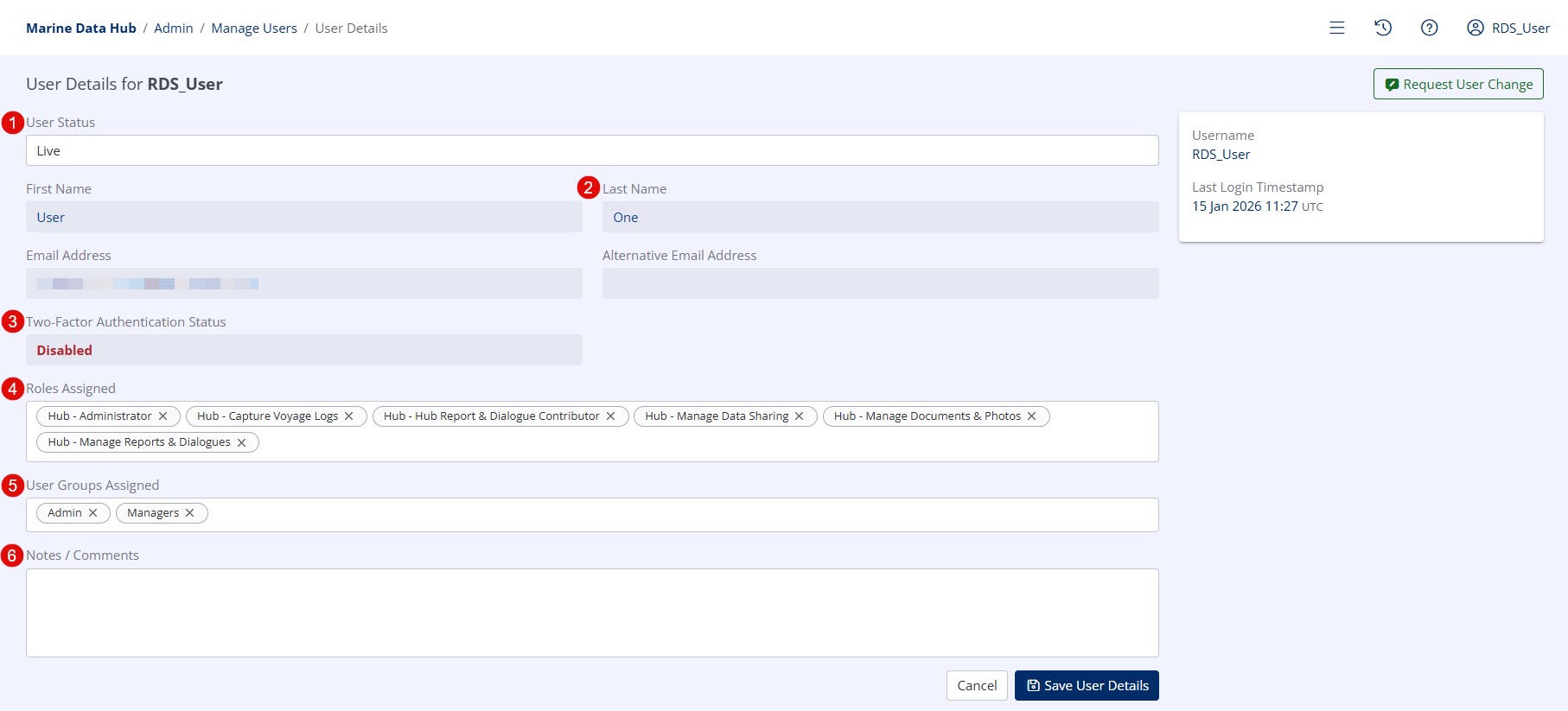
Available Settings
-
User Status (1)
- Live / Disabled
If set to 'Disabled', the user will be unable to log in.
- Live / Disabled
-
Alternative E-mail Address (1)
-
May only be set by Hub Support.
Tip
Consider using the Global E-mail Notification List instead.
-
-
Two-Factor Authentication Status (1)
-
Indicates if a user has configured Two-Factor Authentication (2FA) on their account.
Info
For a full explanation of 2FA, see Two-Factor Authentication (2FA)
-
-
Roles Assigned (1)
-
All User Roles that are currently assigned to the user.
Info
For a full explanation of this field, see User Roles Overview.
-
-
User Groups Assigned (1)
-
All User Groups that are currently assigned to the user.
Info
For a full explanation of this field, see User Groups Overview.
Warning
User Groups are not available to Inspector Organisations
-
-
Notes / Comments (1)
-
Any internal notes or comments regarding the user may be entered here.
Info
These notes are only visible to Organisation Administrators and Hub Support
-